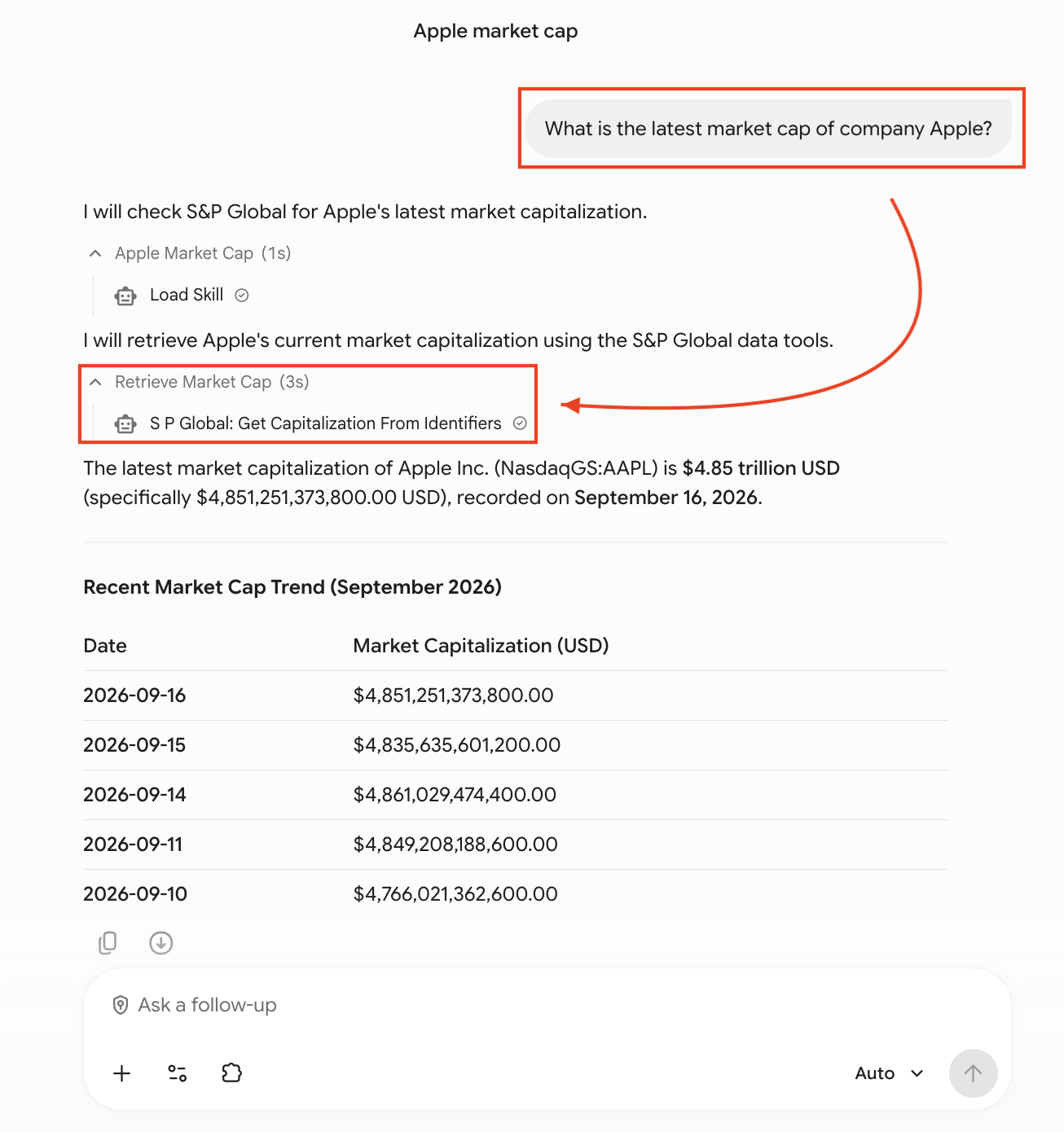
Gemini Enterprise Integration
These instructions walk you through configuring the S&P Global Deterministic Retrieval MCP connector in Gemini Enterprise in Google Cloud (opens in a new tab).
Before you begin
This guide assumes your GCP project already has Gemini Enterprise enabled and the required IAM roles assigned. If you are setting up Gemini Enterprise for the first time, or need to verify prerequisites such as the Discovery Engine Editor role and billing configuration, see the Google Cloud setup guide: Set up an S&P Global - Deterministic Retrieval data store (opens in a new tab).
Part 1: Admin Setup (One-Time)
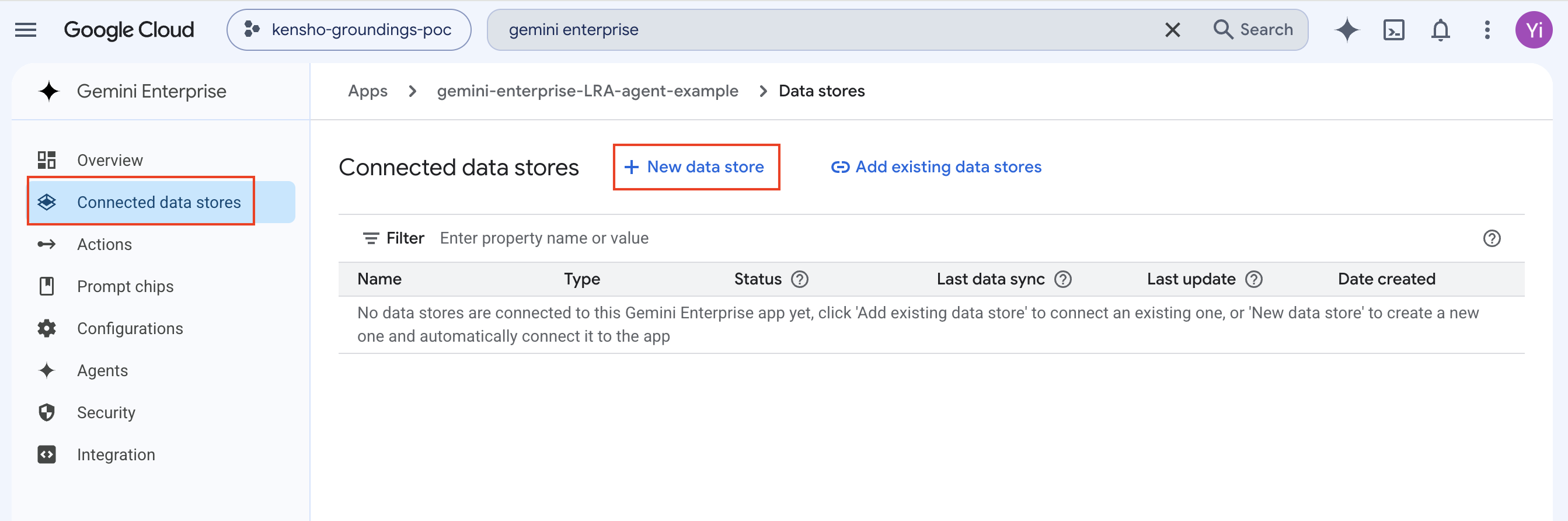
Step 1: Create a New Data Store
Open the Gemini Enterprise app. Navigate to Connected data stores in the left sidebar, then click + New data store.
Step 2: Add the S&P Global Data Source
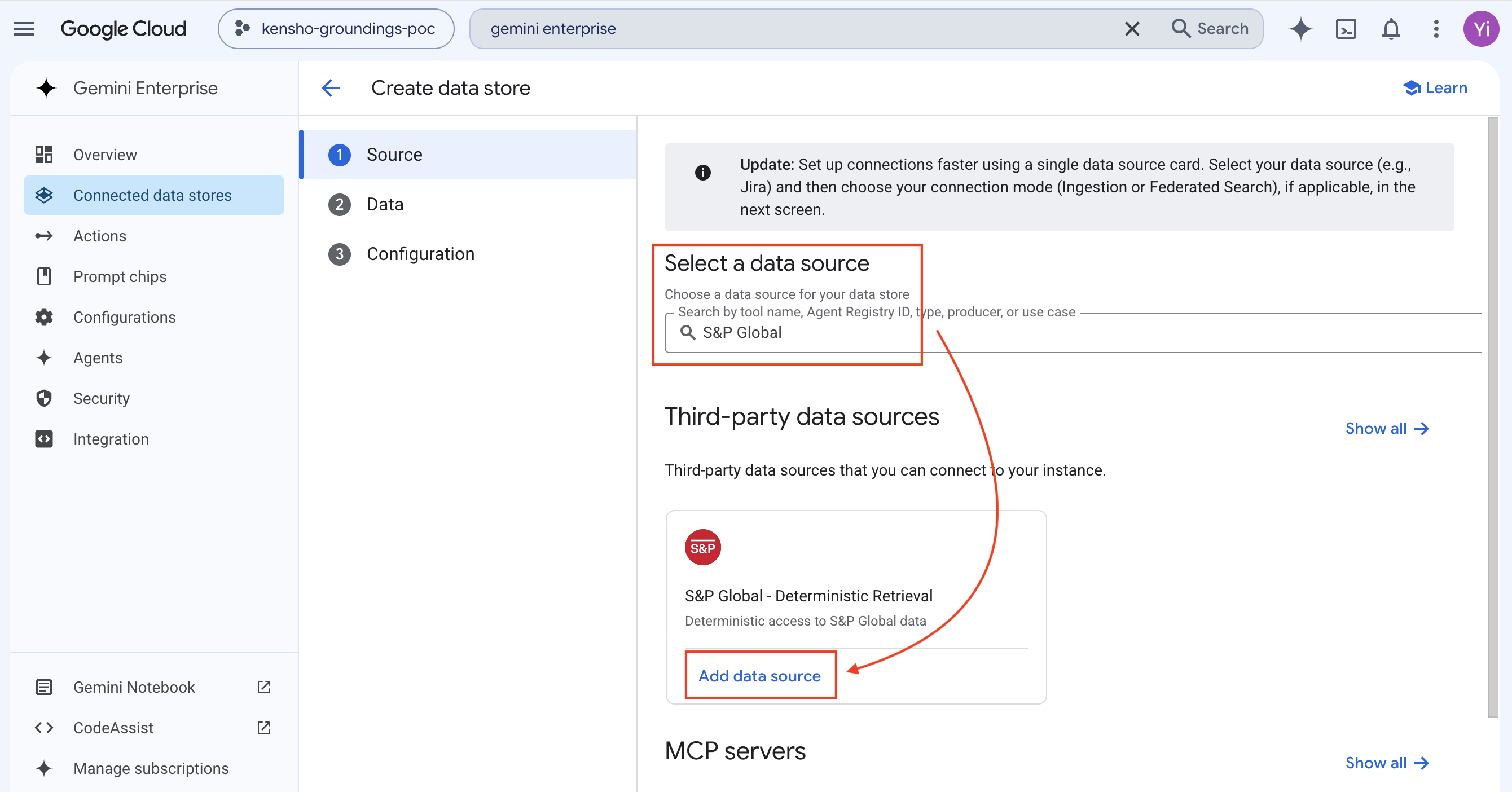
Search for "S&P Global" under Third-party data sources. Locate the S&P Global - Deterministic Retrieval card and click Add data source.
Step 3: Enable "Data" Entity
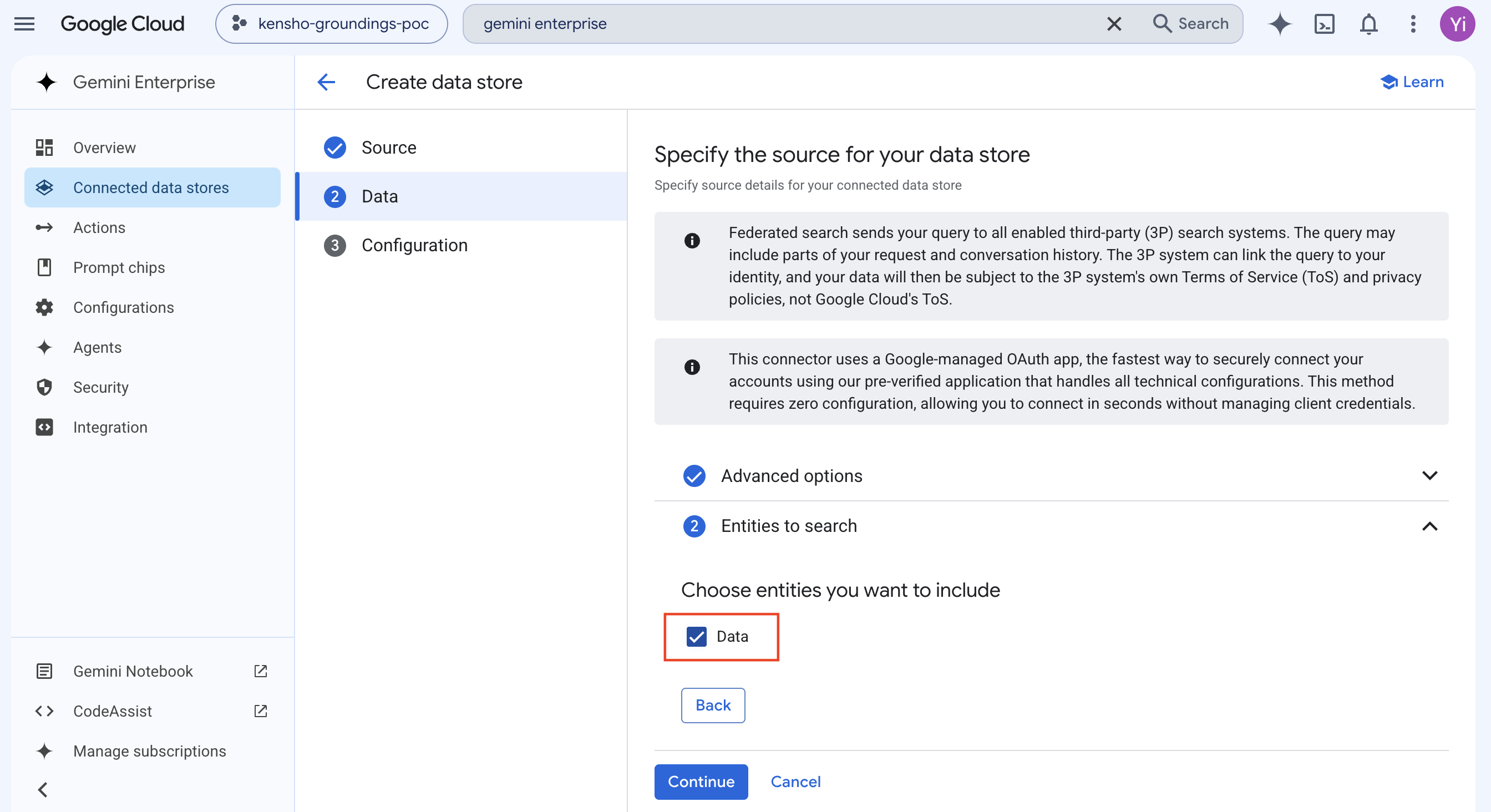
Use the default settings. In step 2 ("Entities to search"), expand the section and enable the Data checkbox, then click Continue.
Step 4: Name and Create the Connector
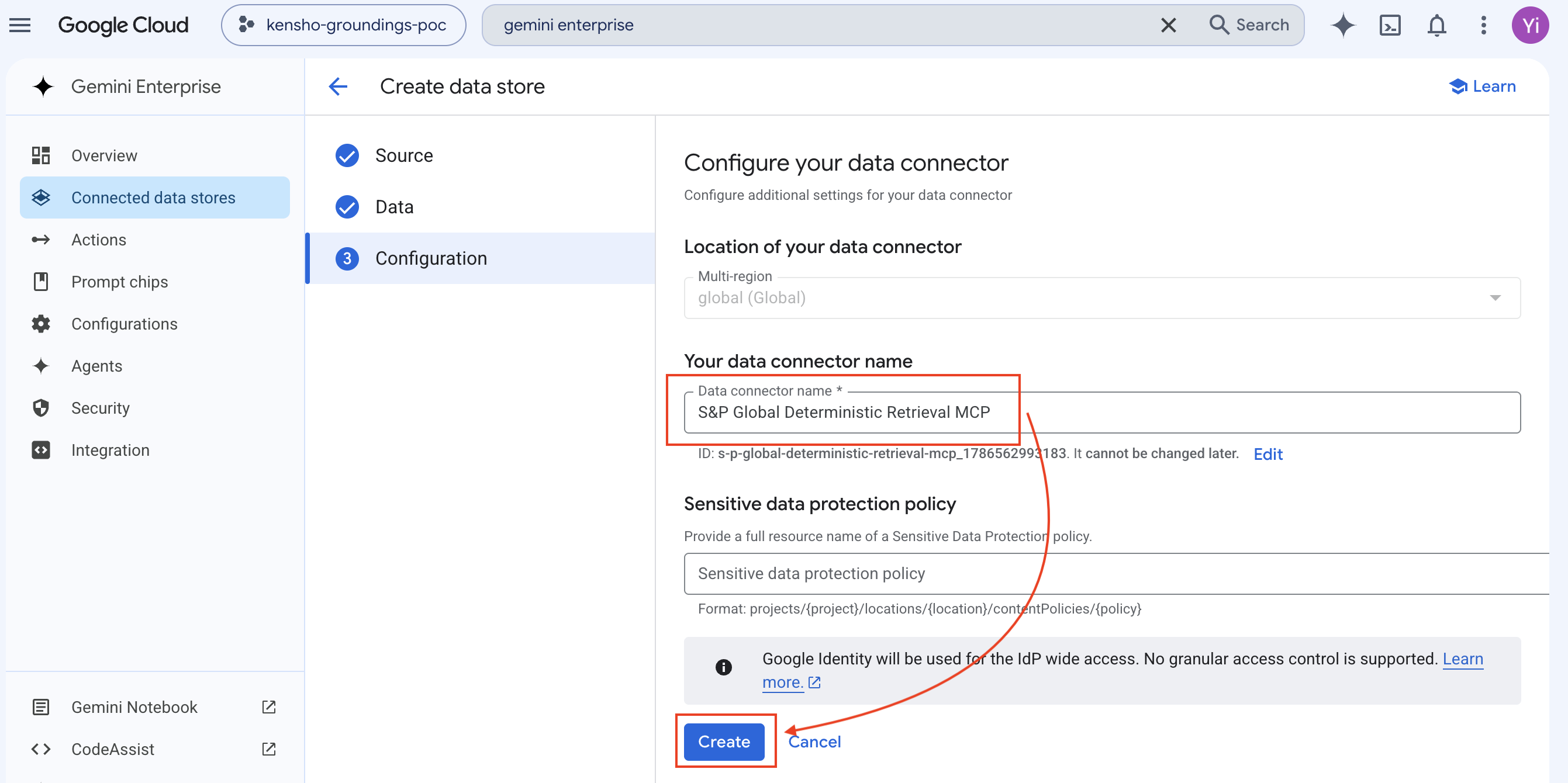
Specify a data connector name (e.g., "S&P Global Deterministic Retrieval MCP") and click Create.
Step 5: Confirm Active Status
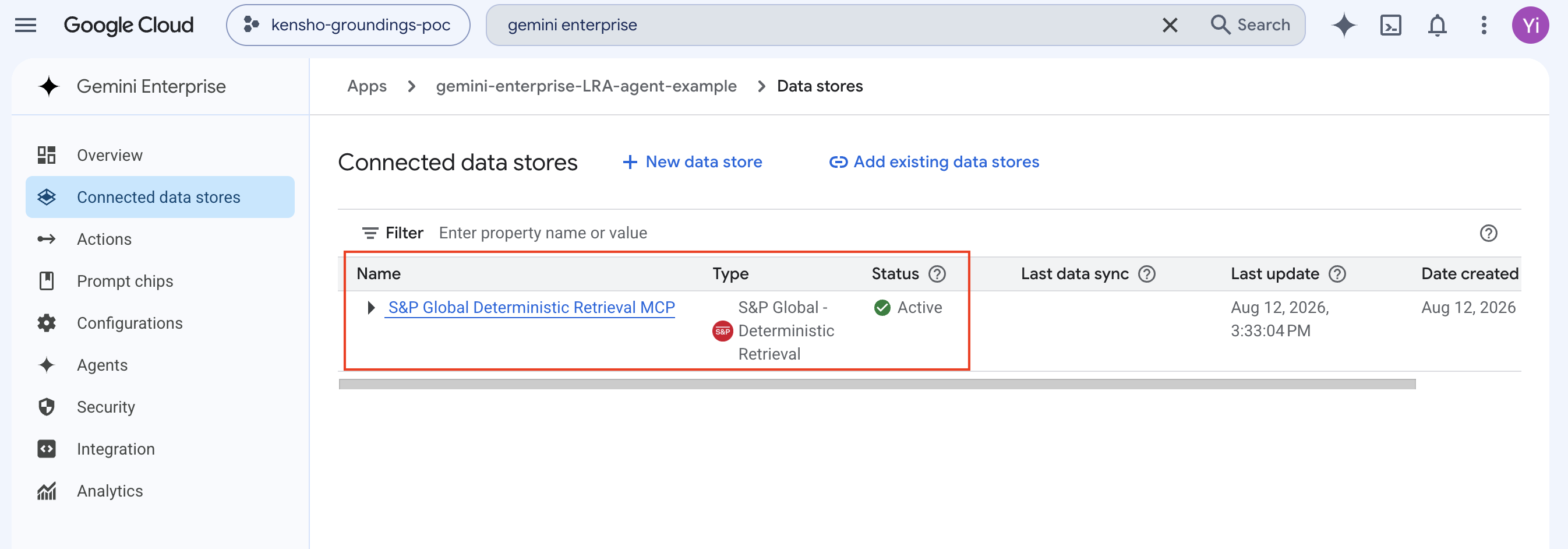
Wait for creation to complete. The data store should appear in the list with status Active.
Part 2: End-User Experience
Step 6: Authorize the Data Store
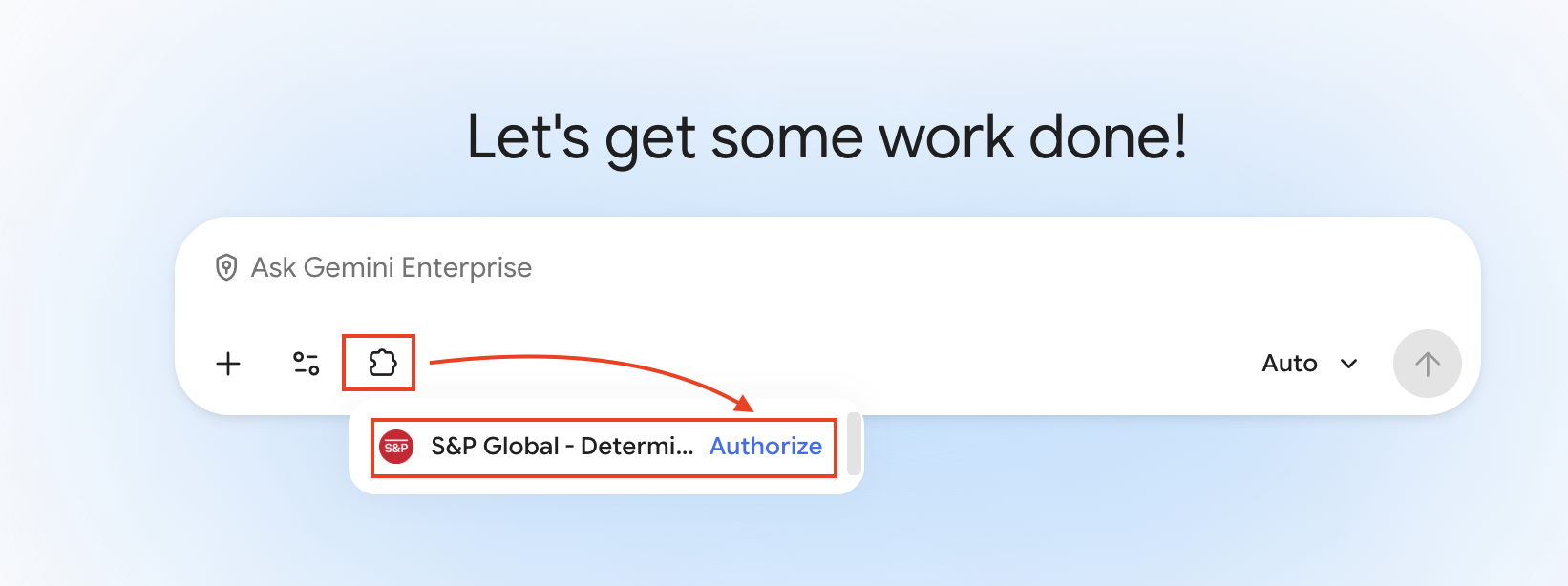
Open Gemini Enterprise. The S&P Global data store appears below the chat input. Click Authorize.
Step 7: Confirm Connection
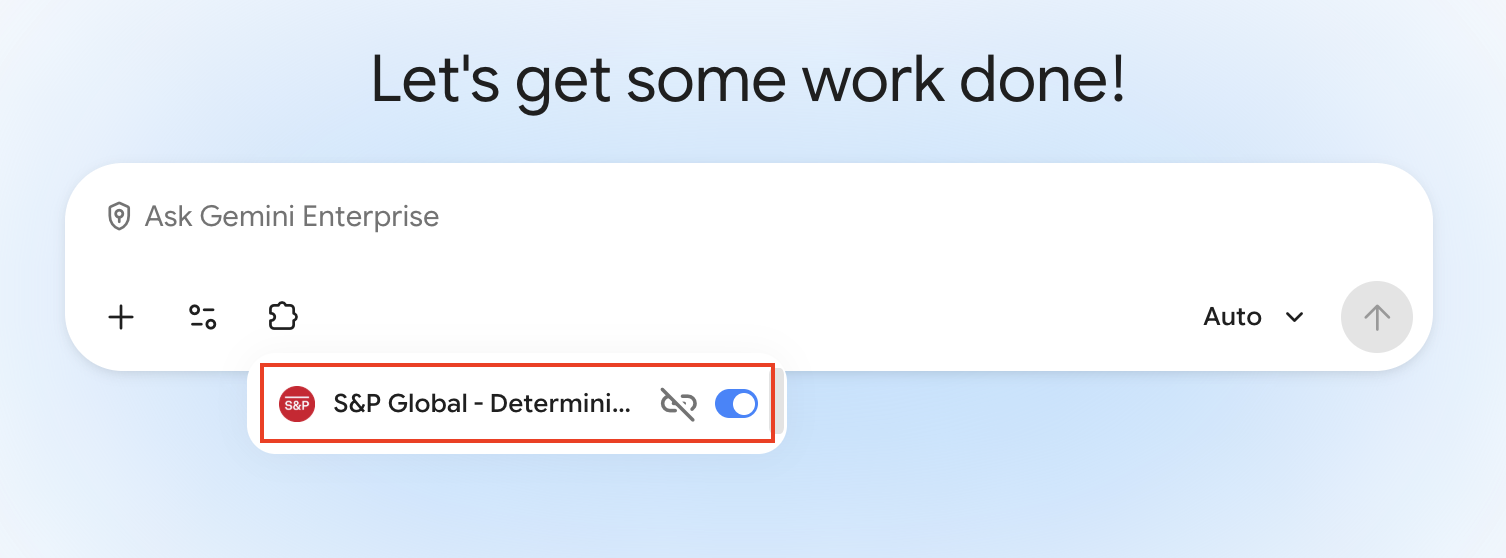
Authenticate with your Kensho Okta credentials when redirected. Once complete, the toggle will show the data store is connected.
Step 8: Chat with S&P Global Data
Start asking financial questions. Gemini Enterprise will call the connected MCP server to retrieve live S&P Global data.