Microsoft Copilot Connector
These instructions walk you through enabling the S&P Global – Adaptive Retrieval connector in Microsoft 365 Copilot. Once enabled, Adaptive Retrieval is available as a data source directly within your Copilot Chat experience.
Setup
Step 1: Open Copilot Settings
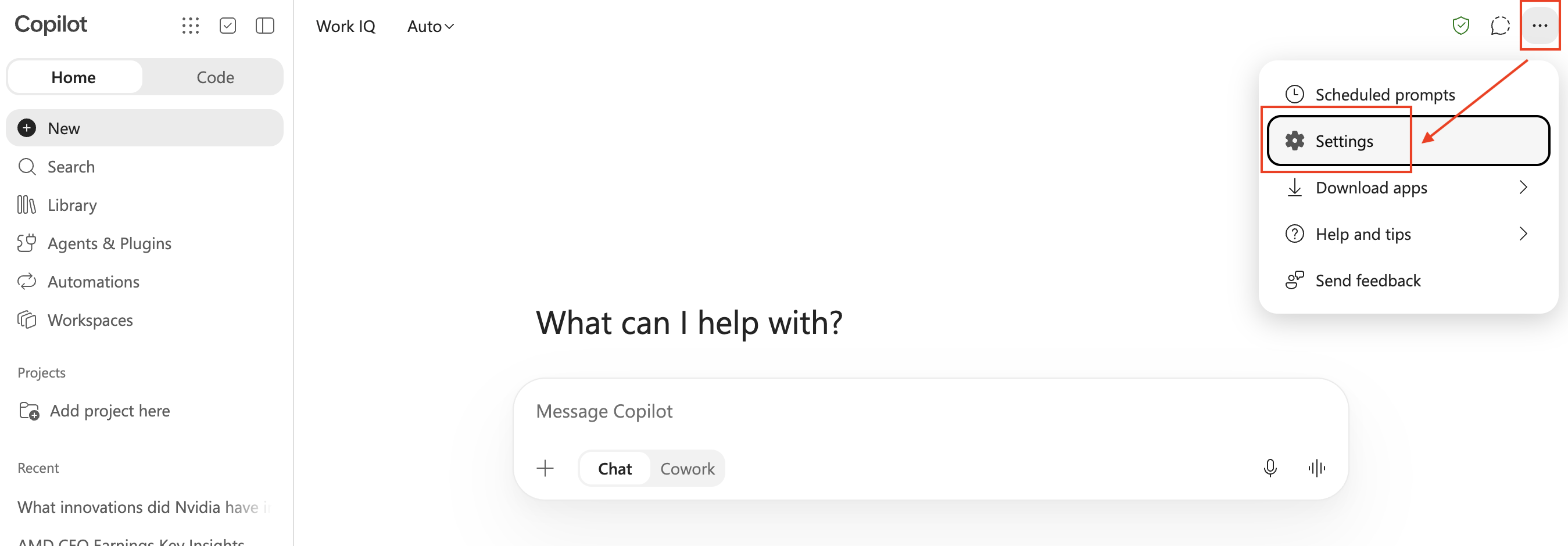
In Microsoft 365 Copilot, expand the top-right menu and select Settings.
Step 2: Find the Adaptive Retrieval Source
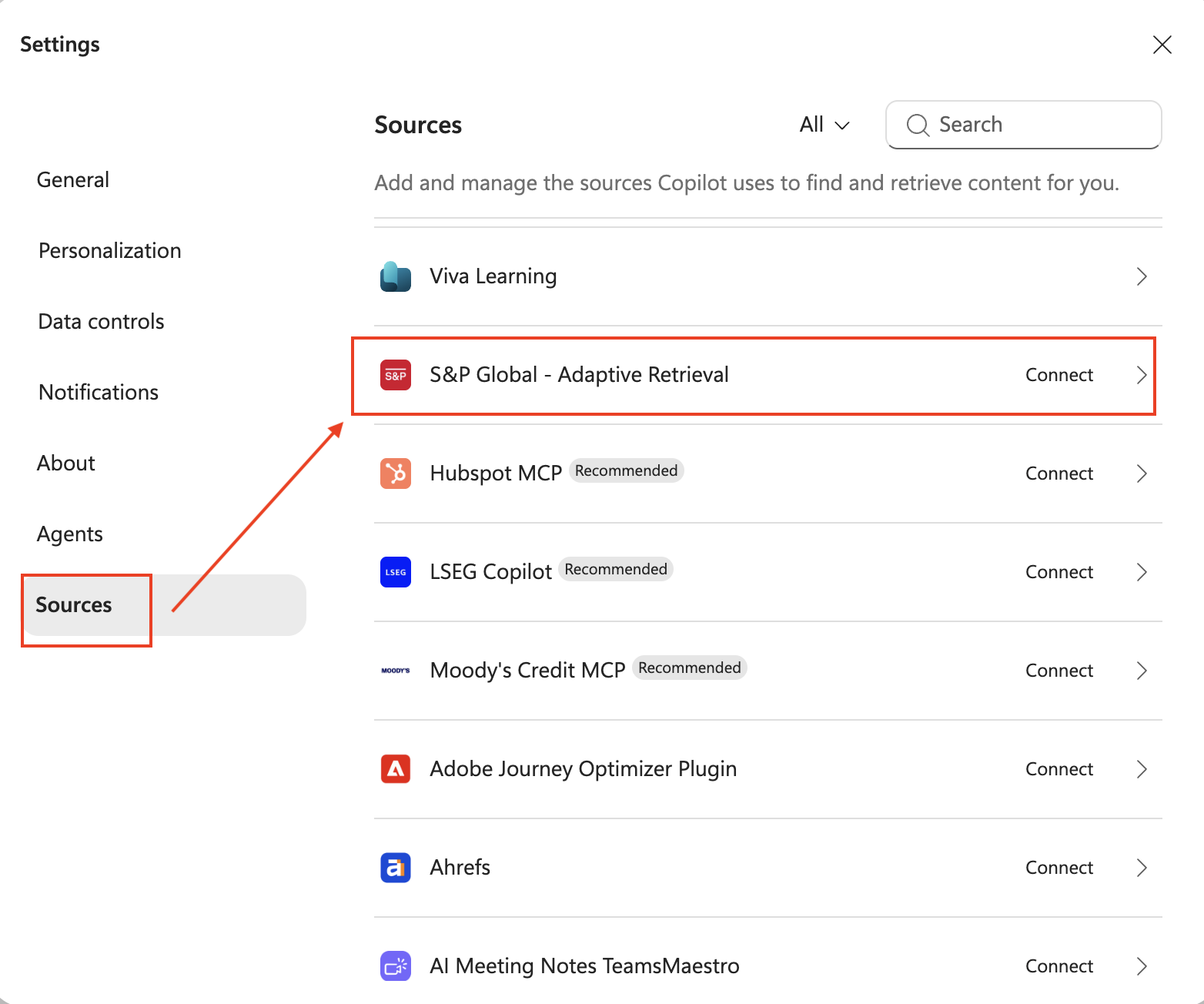
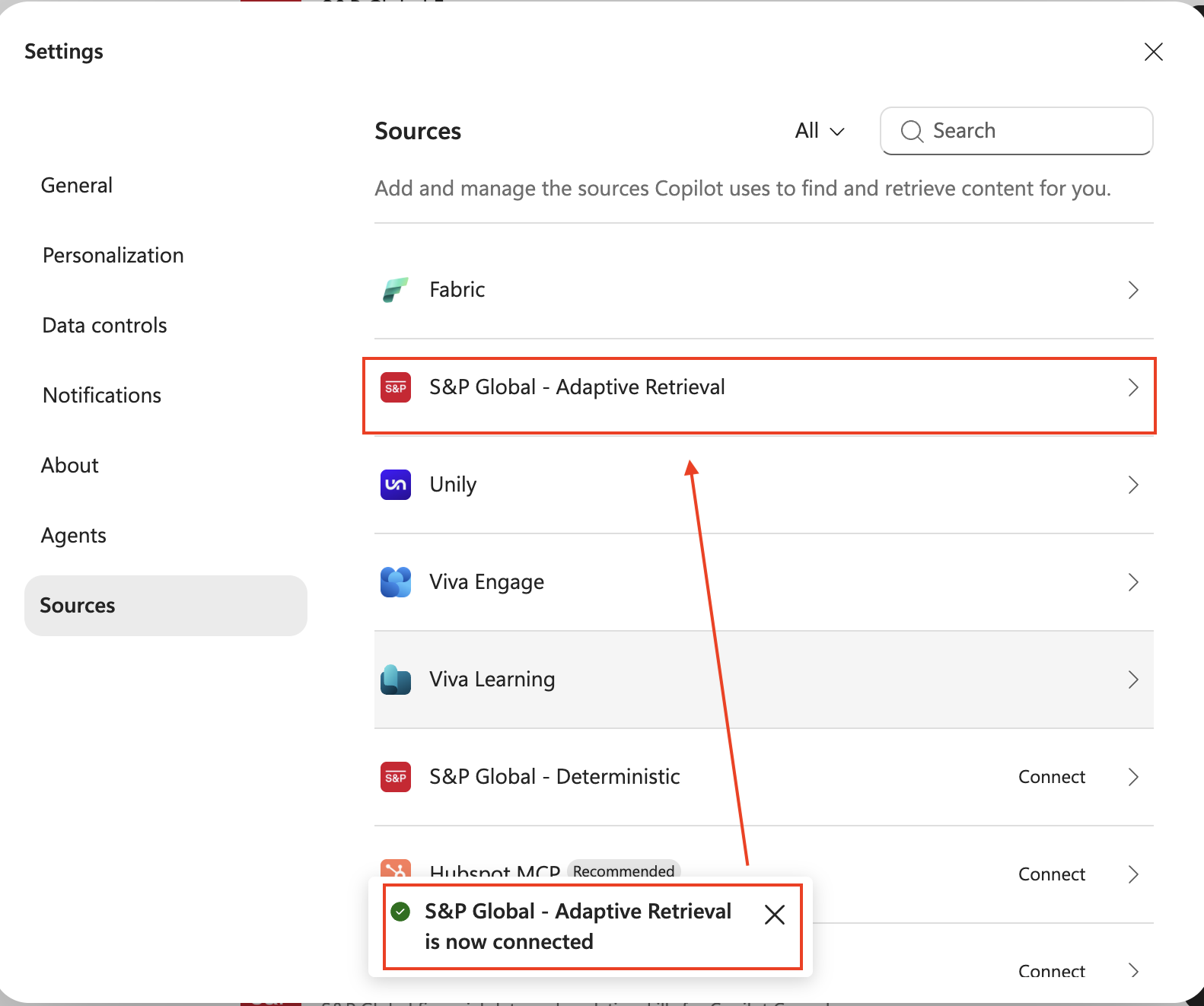
Navigate to the Sources tab in Settings. In the sources list, find S&P Global - Adaptive Retrieval and click on it. This is a built-in partner connector available in the Microsoft Marketplace (opens in a new tab).
Step 3: Connect the Source
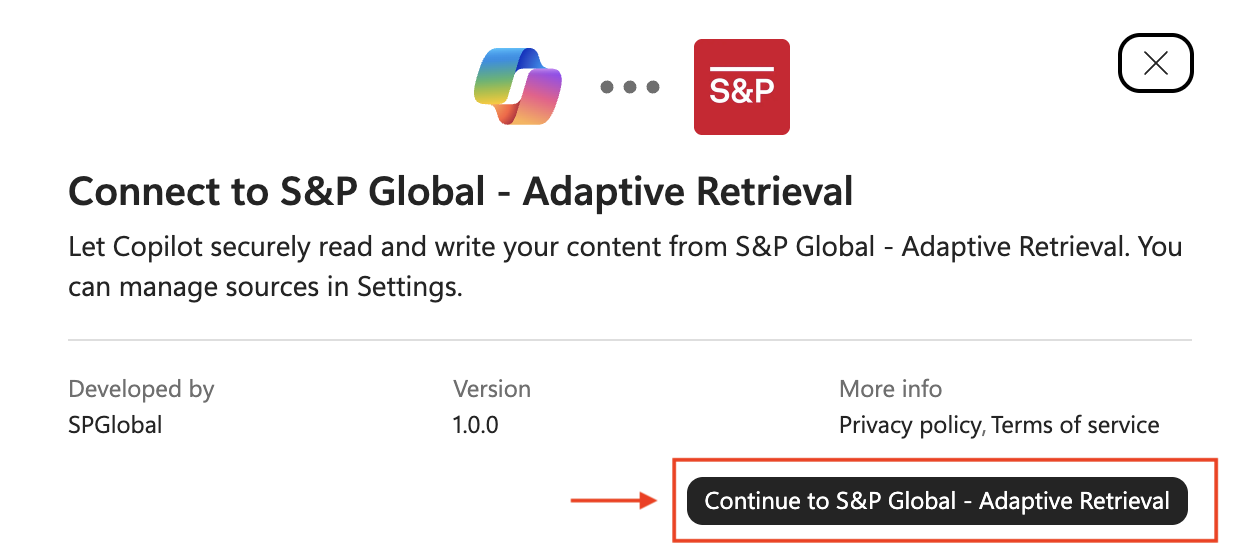
Select Continue to S&P Global - Adaptive Retrieval and follow the prompts to authenticate. You will be asked to log in with your Kensho Okta credentials, which were sent via email when you signed up for a trial or account.
Step 4: Confirm Connection
Once authenticated, you should see a confirmation that S&P Global - Adaptive Retrieval is now connected. The source will appear in your connected sources list.
Step 5: Enable the Connector in Chat
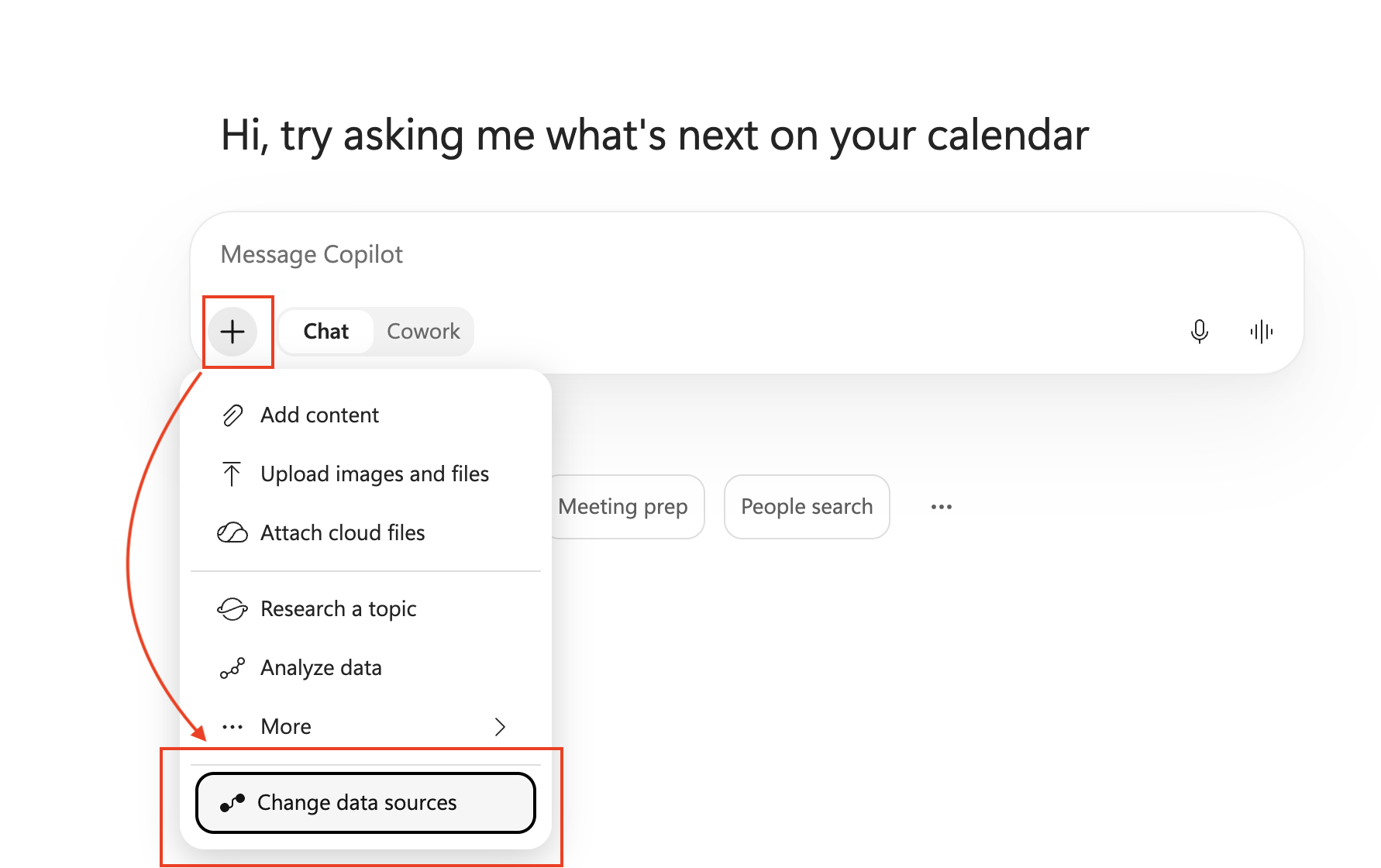
Return to your Copilot chat. To use Adaptive Retrieval as a data source in a conversation, click the + button next to the message input and select Change data sources.
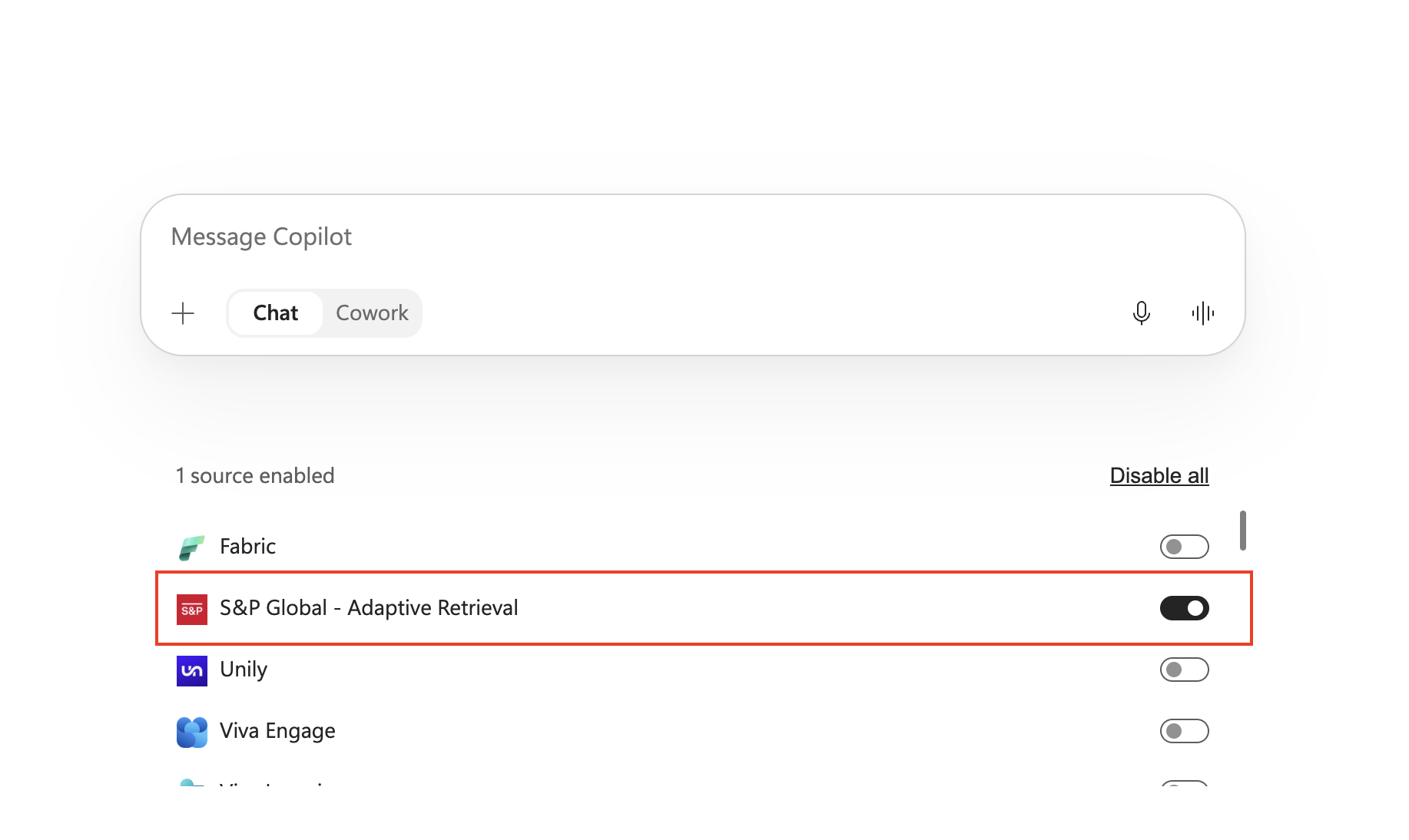
Toggle S&P Global - Adaptive Retrieval on to enable it for the current conversation. Copilot will now retrieve data from Adaptive Retrieval when answering your questions.
Step 6: Test the Connection
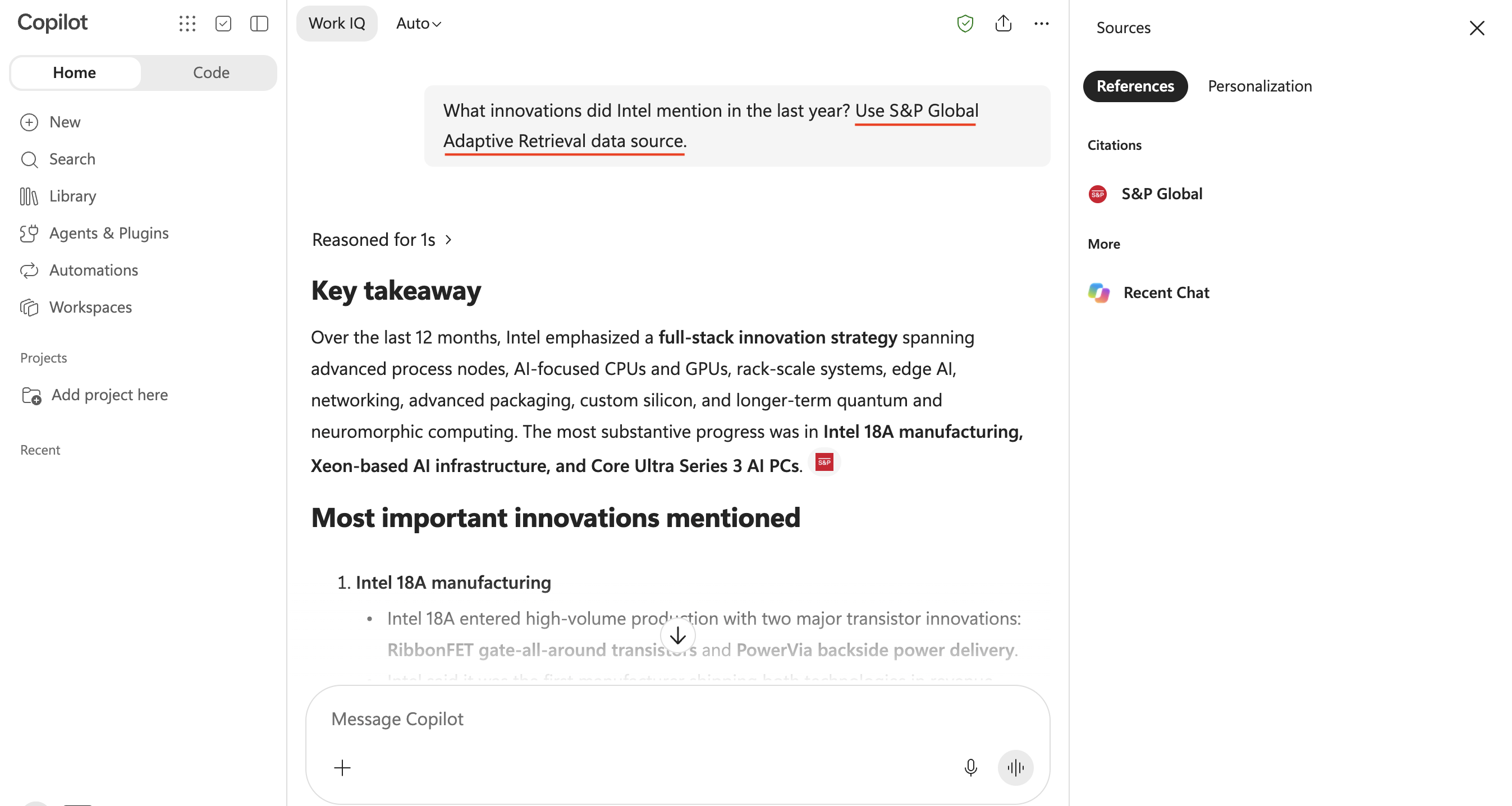
Return to your Copilot chat and try asking a question such as "What innovations did Intel mention in the last year? Use S&P Global Adaptive Retrieval data source." Copilot will retrieve data from Adaptive Retrieval and respond with cited results.